Still Using Spreadsheets to Manage Your Social Media Content?
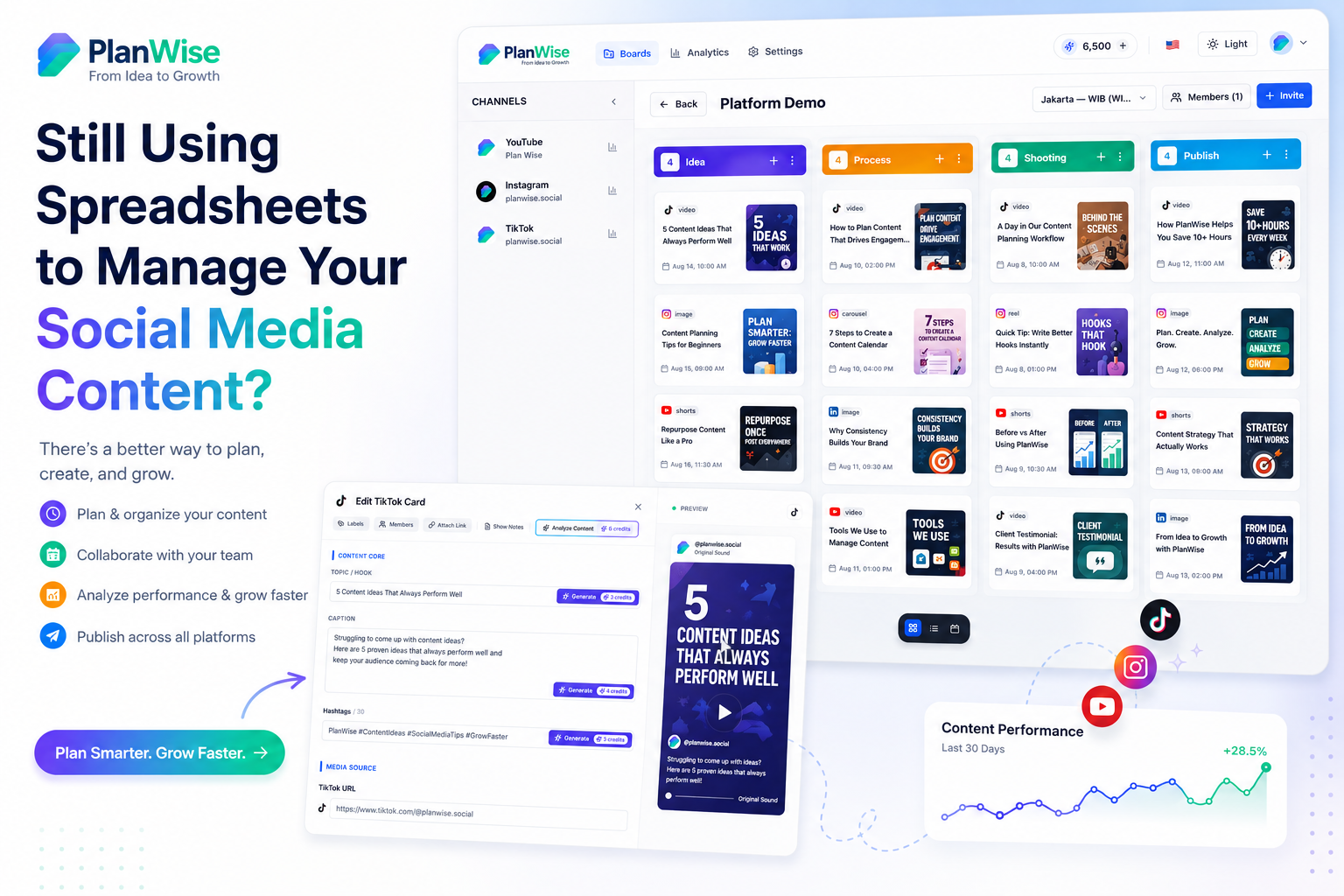
Spreadsheets are useful, but they are often too limited for managing a modern content workflow. If you are tracking ideas, drafts, schedules, and campaigns in separate tabs, your process may already be slowing you down.
Introduction
For a long time, spreadsheets have been the default tool for content planning. They are familiar, flexible, and easy to start with. But as your content strategy grows, spreadsheets can become harder to manage.
What starts as a simple tracker often turns into a messy system of tabs, formulas, notes, and reminders. That makes it harder to see the big picture and even harder to stay consistent.
A good planning system should help you move faster, not force you to spend more time organizing the tool itself.
Why Spreadsheets Break Down
Spreadsheets are great for lists and calculations, but social media planning requires more than rows and columns. You need ideas, deadlines, approvals, drafts, content types, campaign goals, and performance insights.
Common spreadsheet problems
- Too many tabs make navigation confusing.
- It is hard to see the publishing timeline at a glance.
- Collaboration becomes messy when multiple people edit the file.
- Ideas and execution are stored in separate places.
- There is no built-in workflow for brainstorming or approval.
Spreadsheet vs AI Content Planner
The biggest difference is not just design. It is the way the tool helps you think and work. A spreadsheet stores information. A content planner helps you manage the entire planning process.
Simple comparison
If your goal is speed, consistency, and easier collaboration, an AI-powered planner is usually the better long-term option.
What a Better Workflow Looks Like
A strong workflow should reduce clutter and help you move from idea to publication with less effort. Instead of managing ten disconnected files, you should be able to handle the full cycle in one place.
Ideal planning flow
- Collect content ideas.
- Sort them into content pillars.
- Assign them to dates.
- Draft captions or outlines.
- Review and approve the final content.
- Track what performed well.
Once this flow is clear, you can produce content faster and with less stress.
Benefits of Moving Beyond Spreadsheets
Upgrading your workflow does not just save time. It can improve how your team thinks about content planning.
- Less friction: fewer steps between idea and execution.
- Better visibility: easier to see your publishing schedule.
- Smarter collaboration: teams can work in one shared system.
- More consistency: content becomes easier to plan in advance.
- Cleaner focus: more time spent creating, less time spent organizing.
How to Make the Switch
You do not need to abandon everything at once. A good way to switch is to start with your next 30 days of content. Move your ideas, schedule, and draft notes into a more structured planning system.
Step-by-step approach
- Export your current spreadsheet ideas.
- Group them into themes or pillars.
- Move them into a planner that supports publishing workflows.
- Set a weekly review process.
- Track results and refine your system over time.
Once your new system proves itself, it becomes much easier to leave the spreadsheet behind.
How AI Helps
AI can reduce the time it takes to brainstorm, structure, and schedule content. It also helps you stay organized when the volume of ideas starts growing.
A tool like PlanWise can help you bring ideation, planning, and content organization into one system so you spend less time on admin work and more time creating.
Frequently Asked Questions
Are spreadsheets still good for social media planning?
Yes, but only for very simple workflows. Once you need collaboration, scheduling, ideation, and review steps, a dedicated planner is usually better.
When should I stop using spreadsheets?
If your spreadsheet is becoming hard to maintain, difficult to navigate, or too time-consuming to update, it is probably time to upgrade.
Can an AI content planner replace a spreadsheet?
In many cases, yes. An AI content planner can handle planning tasks in a more structured and efficient way than a spreadsheet.
Will switching tools make planning faster?
Usually, yes. A dedicated planner reduces manual steps and makes it easier to manage content from one place.
Is PlanWise useful for teams?
Yes. PlanWise is useful for solo creators, marketers, and teams that want a more organized way to plan social content.
Final Thoughts
Spreadsheets are a solid starting point, but they are not always the best long-term system for social media planning. If your workflow is becoming more complex, a dedicated content planner can save time and reduce frustration.
If you want to simplify your process and move faster, PlanWise can help you manage your content in a cleaner and more scalable way.